In Sell Fries! on Roblox, all kinds of customers show up at your snack bar after dark. Some happily eat their fries, while others chase the cook or get up to even stranger things. In this guide, we've rounded up all six main anomalies, explained how to recognize each event, when to close the service window, how to escape the Giant, and how to get your kitchen running again.
When Do Anomalies Appear?
The night shift runs from 8:00 PM to 8:00 AM in game time. Before evening, finish any unnecessary trips to the store, stock up on potatoes, and make sure you know the shortest way back to the kitchen. You don't have to stop selling fries completely at night, but going outside becomes much more dangerous.Don't expect every anomaly to attack the moment night begins, either. Pay attention to warnings and what's happening around you. For example, if your screen starts to darken while you're outside, it's time to head back. Just because you can't see a monster at the door doesn't mean you should run out for one last potato. The events below include both creature attacks and disruptions to your production line.
Window Anomaly: What Should You Do?
When this anomaly appears, a dark, unnatural-looking figure resembling a customer approaches the service window. Don't carry on serving as usual. This visitor can reach the counter and eat your prepared fries. Press the red emergency button beside the window to lower the metal shutter. Do it right away, not after preparing another serving. Once the visitor disappears, you can get back to selling fries.The automated fries-shooting turret at the window can also scare this anomaly away. However, you need to keep it loaded. If it runs out of ammunition, close the shutter yourself. An upgrade won't protect you if it has nothing left to fire.
Shadow Chaser: Run Back Into the Kitchen
Sell Fries!Sell Fries!This threat appears outside. Your screen may darken or fill with static before the warning RUN INSIDE! appears, telling you to get indoors immediately. A shadowy figure will be closing in on you.Drop whatever you're doing and run back to the kitchen. Once you're inside, move away from the doors and wait a few seconds. Don't stand in the doorway to see how close the pursuer has gotten.Closing the service window's shutter while staying outside won't solve this problem. The customer at the counter calls for the shutter. An outdoor chase calls for you to get inside. It's especially important not to mix them up if the warning appears while you're on your way to the store.
Potato-Eating Monster: Hold the Interact Button
Image unavailableCheck the outdoor section of the conveyor belt. A creature can appear there and start eating your potatoes. While you're busy cooking, it eats into your supply and disrupts the flow of ingredients into the kitchen.Approach the monster and hold the interact button until you scare it away. Follow the prompt shown on your device. A quick tap may not be enough if the action requires you to hold the button.You don't need to buy a special tool for this event. First, though, check what's happening around you. If a chase or a Giant attack starts at the same time, deal with that danger first. Losing a few potatoes is better than getting caught outside.
The Giant: Get Out of the Circles on the Ground
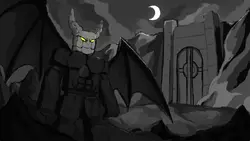
Sell Fries!Sell Fries!The warning THE GIANT! announces the arrival of a huge creature near the buildings across the street. Its attacks are marked by circles on the ground, followed by beams striking those spots.Watch your feet and move outside the marked area before the beam hits. Don't finish interacting with an object while you're standing in a circle. Move first, then get back to work. Getting hit takes away a substantial chunk of your health.There are short gaps between attacks that you can use to get back to the kitchen. For your first few encounters, we recommend retreating rather than trying to collect a few more potatoes. Keep watching the warning circles, though. Crossing the doorway doesn't mean you can stop paying attention to the danger.
Power Outage: Connect the Wires
Sell Fries!Sell Fries!The lights go out, automated equipment stops working, and the game warns you about a power problem. Hiding in a corner and waiting, as you would during a chase, won't help here. You need to restore the electricity.Find the illuminated electrical box outside, interact with it, and connect the matching wires in the minigame. Look at the connections in your own electrical box instead of trying to copy a random sequence from someone else's walkthrough.After completing the repair, make sure the lights are back on and the machines are running again. If going outside is dangerous at that moment, wait until the immediate threat has passed. Losing income is frustrating, but trying to repair a fuse box under a Giant's beam is even worse.
Stuck Robot: Help It Get Moving Again
Sell Fries!Sell Fries!This event affects your purchased helper robots. One of them gets stuck and stops collecting or carrying potatoes. As a result, the conveyor belt may run empty even though all your other machines are working normally.Find the motionless robot, usually near the outdoor potato pile, and interact with it. Make sure the helper starts moving again and resumes delivering potatoes. You don't need to buy a replacement or restart the game just to free a stuck robot.If the fryer is still empty for a little while afterward, check the entire production line. Potatoes need to reach the conveyor, get peeled, and make it to the cooking station. One stalled helper doesn't mean the whole kitchen has suddenly broken down.
What If Several Problems Happen at Once?
Don't try to fix everything with one frantic trip outside. We recommend handling problems in this order:
Survive the immediate attack. If you're being chased, run into the kitchen. If the Giant is targeting you, get out of the marked circle.
Close the window when a dangerous visitor appears. If you're relying on the automated turret, check its ammunition.
Restore the power once you can safely reach the electrical box.
Scare away the potato eater and free the robot, then check that potatoes are moving through the production line.
If you're playing with a team, decide in advance who's watching the window and who's taking care of tasks outside. Keep your callouts specific: "Close the window," "Get inside," or "I'm fixing the power." That way, you're less likely to have everyone rush out to rescue one robot while leaving the service counter unattended.
Which Upgrades Make Night Shifts Easier?
The conveyor belt, helper robots, automatic peeler, and automatic fryer reduce the amount of work you have to do yourself. The fewer steps you need to handle manually, the easier it is to spot a figure at the window and react in time.The fries-shooting turret is useful against the visitor at the window, but it doesn't replace the correct response to other events. You still need to take shelter during a chase, move out of the Giant's attack circles, and repair the power when it goes out.The store also sells clocks that let you skip the night. If you'd rather focus on finding the key and upgrading your kitchen, that's one way to reach morning faster. But if you want to learn to survive without skipping ahead, master the shutter button and the route back inside first. You'll need both long before you can afford the most expensive upgrades.