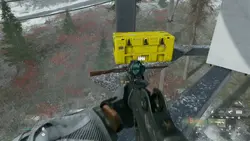
Dynamic Operations in Call of Duty: Modern Warfare 4 DMZ let you earn cash and XP while replenishing your equipment between story missions. In this guide, we'll explain where to find contracts, how to start them using phones, complete their objectives, and collect reward crates. We'll also cover why you sometimes can't accept another operation.
You have two options: select Dynamic Operations before deploying or accept a mission on the map. For the first option, open the deployment menu at your base and select Dynamic Operations. Then choose how to deploy and confirm you're ready. Once you load into Hajin, your squad will already have an active operation. Check its first objective below the minimap.Image unavailableFor your first deployments, we recommend the free Ground insertion. You don't have to spend money on transportation, and you can learn how the missions work on foot. Before heading out, check your weapons, armor vest, backpack, and medical supplies. If you're almost out of equipment, use Equip Free Loadout on the preparation screen.Image unavailableWant to gather supplies first or complete an objective in a particular village? Select Free Roam. This puts you on the map without a starting mission, allowing you to reach a suitable phone yourself. This option is useful when an Order requires you to start an operation in a specific location.
Where to find Dynamic Operation contracts and phones
Open the Tac-Map and look for a green phone icon. Mark it and make your way to the indicated building. Pay attention to the marker's height, since the phone may be one floor above or below you. Once inside, listen for its ringtone and search the tables and shelves near the marker.Image unavailableApproach the phone and aim at it. The operation's name and an activation prompt will appear. Press the indicated button. Then check the mission panel below the minimap. It should display the name of the operation you've accepted and its first objective. If an Order asks you to "collect a phone," the required action is to activate the device.Image unavailablePhone locations change between matches. Memorizing a single house from someone else's walkthrough won't help much, because the phone may appear in another building on your next deployment. Follow the icons in your current match instead. Any available phone will do for a regular operation, but an Order that specifies a location requires you to find one within that exact area.
How to complete Dynamic Operation objectives
After activating the phone, read the current objective and place a marker on the relevant location. Operations give you tasks one after another. Complete one, and the next becomes available. That's why you should check whether the objective text updates after each interaction. Sometimes killing a marked enemy isn't enough. You also need to collect intel from their body before the next part of the mission appears.
Your objectives may require several different actions:
Find intel or download data. Reach the marked item or terminal and interact with it. If a download triggers a defense phase, hold the position until it finishes and a new objective appears.
Collect and plant explosives. First retrieve the charge from the marked stash, vehicle, or safe, then carry it to the indicated target. After planting it, check whether the operation is over. You may still be told to eliminate a target.
Assemble a bomb. If the mission requires components, follow the markers to collect them and use the indicated workbench. Once the bomb is assembled, move on to planting charges and keep an eye on the objective counter.
Capture an anti-aircraft emplacement. Activate its control computer and defend the position until the capture is complete. If the next stage marks a downed helicopter's cargo, reach it and loot the container.
We recommend agreeing in advance who will operate the device and who will cover the approaches. During defense sections, stay near cover and watch the routes enemies use to reach you. Don't chase stragglers across an entire block. Finish the terminal objective first. Keep an eye on the radiation timer too, since the match clock continues to run during operations.
Why are the route and door code different from a walkthrough?
The same operation can send you to different buildings, give you a new code, or even change some of its stages. For example, in one match, a search for someone may begin with eliminating a target, while in another it starts by using a UAV tower. Follow your current objective before heading to a familiar location. If you need to open a coded door, use the numbers provided by your own match's mission.
Should you accept a Hunt Operators contract?
The Hunt Operators operation sends you after other players. Even if the objective singles out one target, be ready to encounter a full enemy squad. For your first solo deployments, we recommend choosing another assignment. Come back to player hunting once you have plenty of armor and ammunition, along with teammates who are prepared for PvP.
How to claim rewards and start the next contract
Keep completing the objectives until you see Operation Complete. Receiving XP for one stage doesn't mean the entire operation has ended. Once it finishes, look for a supply drop arriving nearby. Approach it, open the Care Package Loot Container, and take the items you need.Image unavailableCompleted operations reward you with DMZ XP and cash, while the contents of the crate vary. Completing more operations during the same deployment raises the rarity of the supply drops from Common to Uncommon and then Rare. So, after collecting your first reward, you can find another phone and keep going. You don't need to return to your base between contracts.Before taking another mission, consider the remaining time, your armor plate supply, and the distance to extraction. If your backpack is already full of useful items, extracting first may be the sensible choice, especially if your last operation left you almost out of ammo. A rarer supply drop will only help if you manage to get the loot out.Image unavailable
Why can't you start another operation?
Your squad can have only one active Dynamic Operation at a time. If another phone won't let you accept a mission, check your current objective panel first. The previous operation may still be in progress. You might have finished a major stage without reaching the final objective. Read the remaining instructions and find its marker on the map.If you don't want to continue, open the Tac-Map and choose Cancel Op. Squads must vote on this action, so coordinate the cancellation with your teammates. Once the operation is canceled, you can look for another one. We recommend doing this if the current mission sends you into an area you're not equipped to handle yet.If your objective doesn't update after the required action, read the wording again. Does it ask you to retrieve an item, wait for a download, or open an additional container? Inspect the marked object and make sure the interaction actually completed. If there's no prompt and you can't progress, you can cancel the operation and accept another. Canceling allows you to switch missions, but it won't count the abandoned operation as completed.
How do Dynamic Operations differ from Side Ops and Orders?
Dynamic Operations are chains of objectives with their own reward and a supply drop at the end. Side Ops have white map icons and offer shorter activities, such as recovering lost cargo or obtaining intel on a lieutenant. If you're running low on time before extraction, consider a nearby Side Op. You can tackle a smaller task rather than begin another lengthy chain.Also check your DMZ Orders at the base or through the Tac-Map during deployment. They have their own requirements. One tells you to deploy using the Dynamic Operations mode, while another asks you to activate a phone. The Order tied to Cheongun Village requires you to start an operation using a phone in that village, complete it, and loot its reward container. Read every objective before deploying and check the counters afterward, so you won't have to go back for something you missed.