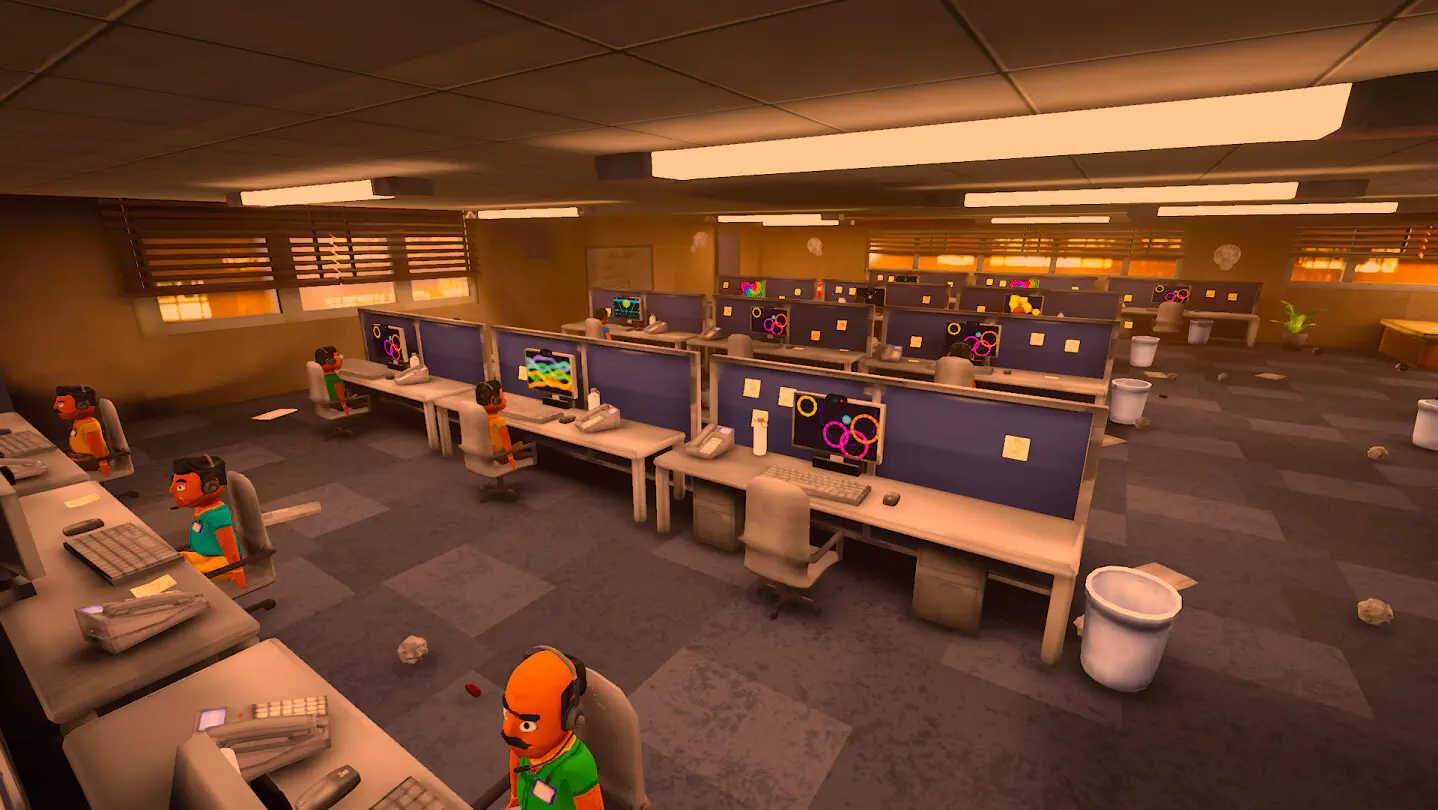
In Scam With Your Friends, you run a scam call center, take calls, talk to AI-powered customers, and work with friends to meet a daily cash quota. This guide walks you through your first few shifts, explains how caller trust works, and shows you how to collect the money you earn from each scheme. We'll also cover remote access and the mistakes to avoid when you're just starting out.
For your first session, we recommend playing solo or setting up a private lobby with friends. The game supports up to eight players, but learning the ropes is easier when you can talk through each task without distractions. Before you start, check your microphone and choose your conversation language in the Speech settings. Russian is supported, so you don't have to switch to English to speak with callers.If the game struggles to recognize what you're saying, try typing your reply in the call window. You can talk to callers using either voice or text. That's particularly helpful during your first few conversations, since you can learn how the schemes work even if your microphone isn't set up yet. You'll need an internet connection even in single-player, because the characters' responses are processed online.Once you're at your desk, look around the desktop and find the phone app. Then check the indicators in the bottom-right corner of the screen. They show your personal cash, the team's earnings, the quota, and the time remaining until the boss's performance review. Your goal is to earn the required amount before the shift ends. More schemes become available as you progress.
How to Answer Calls
When a call comes in, a window appears with the caller's name and portrait. Accept it to start the conversation in the phone app. First, read what the caller says and check the requirements of your current scheme. These tell you what you need to accomplish during the conversation and which app you'll use to finish the job.Image unavailableDon't rush through several requests at once. We recommend asking one question at a time and waiting for an answer. That makes it easier to follow the conversation and understand exactly what the caller has agreed to. If they ask you to repeat something, explain the current step before moving on. When you need a code or number, check it against the conversation history in the phone window before entering it in the app.Characters respond to what you say in real time, so no two conversations have to play out the same way. If a caller objects or changes the subject, respond to their latest message before steering the conversation back toward the task. Don't keep repeating the same request without reading their replies. The shift clock keeps ticking while you're arguing with a caller.If the conversation stops going anywhere, use Hang Up to end the call and take the next one. We recommend doing this when someone keeps refusing to take the required action and you're running out of time before the review. There's a break of at least five seconds between calls at your desk. Use it to close unnecessary windows and get the app ready for your next scheme.
How Caller Trust Works
The phone window has a Caller Trust meter. The caller's mood appears alongside the percentage. Keep an eye on both the meter and their replies. If they start having doubts, address whatever is bothering them before moving on. It's easier to complete the task once you've answered their question.We recommend sticking to one subject and explaining each step in order. If the caller has already agreed to do something, wait for the result before making another request. If they get confused, go back to the last instruction they understood. That also helps you avoid missing a code, confirmation, or required action in the app.A high trust percentage doesn't mean the task is complete. There's no reason to wait for 100% if the caller is already cooperating and you can finish the current step. Likewise, a high trust score doesn't automatically mean you've been paid. Check the scheme's requirements and wait for its completion message.Image unavailable
How to Earn Money From Schemes
Once the caller agrees, check what still needs to be done in the scheme's app. Some tasks require you to enter a number you've been given. Others ask you to confirm the result or cash out your earnings. Don't hang up immediately after a successful exchange. Finish the task first and check the team's earnings. Here are a few schemes worth learning as they become available.
Identity Verification and Remote Access
In the Identity app, enter the number requested by the task and provided by the in-game character, then run the verification. You'll receive a payment confirmation when the step is completed successfully. If the number isn't accepted, compare it with the conversation history. Don't enter random digits instead of the caller's answer.Image unavailableTo connect to a caller's computer, use AnyViewer. Get the connection code during the call, enter it in the app, and click Connect. Don't hang up while the connection is being established. Once you're connected, look for the information specified in your current task. For example, the password recovery scheme requires you to obtain the relevant details through AnyViewer.Image unavailable
Investments, Fines, and Payment Confirmations
In the Investment Scam scheme, you need to enter the account number provided by the caller to receive your payout. The amount you earn matches the investment they agreed to make. In Police Impersonation, you'll need the confirmation number for the fine payment. If the caller agreed but the task hasn't completed, check that final step.
Bitcoin and Meme Coins
In the Bitcoin and Meme Coin schemes, the caller's investment starts a round in which its value changes over time. You need to choose when to click Cash out. The maximum payout per round is $700. The market crashes at a random moment. Talking to the caller can delay their decision to withdraw, but it can't stop the crash itself.For your first few attempts, we recommend cashing out early instead of chasing the maximum every time. You can still withdraw the remaining value during a crash. But if you wait too long, lose the caller, or get caught, you'll forfeit any unpaid earnings from that round. Pay particular attention to the cash-out button and the current value as the shift draws to a close.
Lottery Tickets
In the Lottery Prize scheme, you need the caller to email you their ticket through the in-game mail system. Then enter the confirmation code and scratch off all three numbers. The ticket can pay $0, $200, $500, or $1000, with a 5% chance of winning the top prize. The payout arrives once you've revealed the result. So if you're short of a specific amount for the quota, we wouldn't count on the lottery alone.
How to Meet Your Daily Quota
Watch the team's total earnings, shown as Team, and compare them with the Quota. Your personal balance appears separately, so it won't tell you whether you've met the team's target for the day. You'll also see a countdown to the boss's Performance Review. Check it regularly, especially after a long conversation or an unsuccessful call.At the beginning of a shift, we recommend starting with schemes you already understand. It's easier to learn a new one when there's still plenty of time before the review. If the team is behind, work out how much money is missing and tell everyone else. For example, if one more payout will cover the quota, finish a scheme that's already underway before starting another.If a caller has agreed to pay but the Team total hasn't changed, go back to the scheme's requirements. You may still need to enter a confirmation number, reveal a lottery ticket, or cash out. Only count the money once the payment message appears. That's especially important in the final minutes of a shift, when you may not have time to correct a mistake.Once you've met the quota, the team can end the day early. Choose the option to finish the shift on your work computer and wait for the other players to confirm. The boss's Performance Review will then begin. If the quota hasn't been met, the entire team gets fired, so make sure the team's earnings have reached the target before ending the day.Image unavailable
How to Divide Up the Work With Friends
Agree on which scheme each person is working on, and let everyone know when you've received a payout. If one player already knows how a particular scheme works, they can point out a confirmation step someone else may have missed. Just don't interrupt a teammate while they're talking to a caller. Keep the advice brief so they have time to read the answer and continue the conversation.When the shift is nearly over, tell the whole team exactly how much money is still needed. Players who are close to completing a task can focus on securing the payout. If someone is having trouble with speech recognition, suggest switching to text while everyone else keeps taking calls. The whole team doesn't need to stop and troubleshoot settings in the middle of a shift.For your first few sessions, it's also worth enabling Knockdown Protection. It protects against certain actions by other players, including damage and tackles, when either person involved has the protection enabled. If you want to learn the schemes first, agree not to interfere with one another at your desks. There'll be plenty of time for office brawls after you've hit the quota.Image unavailable
How to Deal With Viruses and Stuck Tasks
Some callers try to cause trouble for your in-game computer. Scambaiters can infect it with a virus. Use the Malwarebits app to clean it up. In versions of the app that support instant removal, select Remove virus and wait for confirmation. If a fire breaks out in the office, grab a fire extinguisher.If a caller seems to ignore what you're saying, check whether your words are appearing correctly in the conversation and try typing a message instead. Then check your microphone selection, language, and recognition settings under Speech. Whisper is one of the built-in options for Russian. You don't need to connect a separate paid speech-recognition service to play the game normally.If you've received an answer but the required step isn't registering, read the objective again. Make sure you're entering the right code and have completed the action in the app. Install any available game updates as well. Recent patches have addressed issues with recognizing caller consent and providing codes for several schemes. After updating, make sure everyone in the lobby is running the same version.