Valheim does not have a separate Creative Mode button like Minecraft, but in the current 1.0 version there are two practical ways to build freely without gathering resources: use the built-in World Modifiers, or enable Developer Commands and Debug Mode.The original version of this guide used the old imacheater command. That command was removed years ago. In Valheim 1.0.16, the correct command is devcommands. If you only want unlimited building materials, World Modifiers are the easier option. Debug Mode is more powerful because it also gives you flight, instant enemy removal, teleport tools, spawning commands, and other developer features.
How to Enable Creative Building Without Console Commands
Valheim includes World Modifiers that can remove normal construction costs. Before entering a world, open its World Modifiers and use one of the creative-oriented options.The most useful settings are:
Hammer Mode — enables no-cost building for pieces placed with the Hammer.
No Build Cost — removes material costs from build pieces while keeping normal recipe discovery.
Passive Enemies — optional setting that prevents creatures from attacking until provoked.
Resource Rate — can be increased if you still want some survival progression but less gathering.
How to Enable the Console on Steam
The console is not enabled by default on the Steam version.Follow these steps:
Open your Steam Library.
Right-click Valheim and select Properties.
Stay on the General tab.
Find Launch Options.
Enter -console.
Launch Valheim through Steam.
Enter a world and press F5.
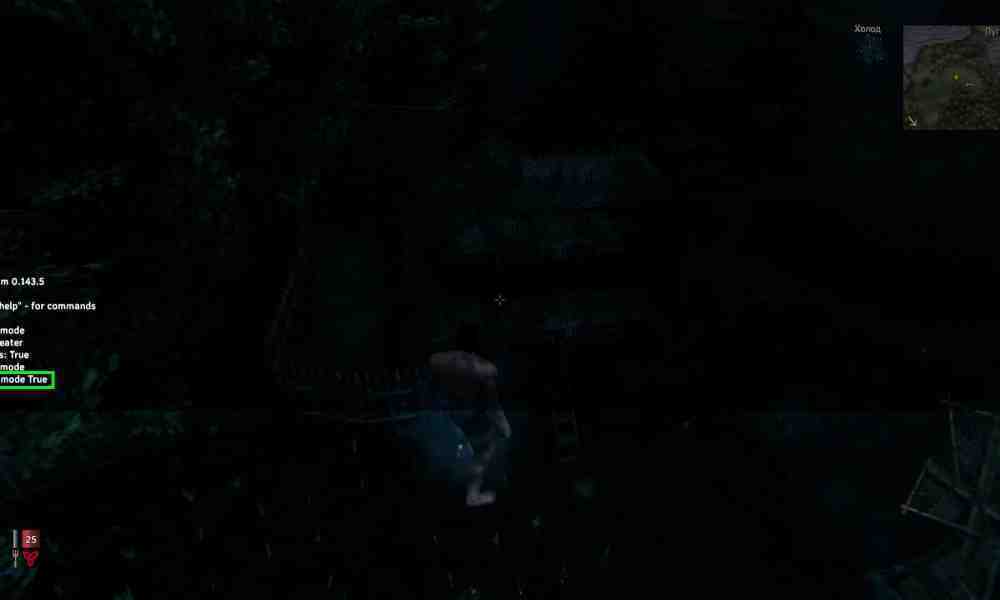
A dark developer console should appear at the top of the screen. For the full list of current commands, see our Valheim console commands guide.
How to Open the Console with a Controller
If the console is already enabled on your platform, use:
LB + LT + Start.
On Xbox, developer-console access is built into the game. Steam and Microsoft Store versions require the console to be enabled first.
How to Enable Developer Commands
Open the console and enter:
devcommands
Press Enter.Valheim 1.0 can warn you that developer commands affect cheat and achievement status. Confirm only if you are comfortable using cheats in that world or on that character.Once developer commands are active, enter:
debugmode
Press Enter again.You should see a confirmation in the console. Debug Mode is now active. To disable it, enter debugmode again.
How to Use Creative Mode in Debug Mode
How to Use Creative Mode in ValheimHow to Use Creative Mode in ValheimDebug Mode adds several keyboard shortcuts.
B — No-Cost Building
Press B while Debug Mode is active to toggle the no-cost mode. This is the developer-command equivalent of the nocost command. While active, you can place build pieces without consuming the required materials. The mode also removes normal Workbench requirements for Hammer construction.This is the closest thing to a traditional Creative Mode for large building projects.
Z — Fly
Press Z to toggle flight.While flying:
Space — move upward.
Ctrl — move downward.
Normal movement keys control horizontal movement.
Flight is extremely useful when constructing tall towers, bridges, roofs, or large decorative builds.You can also type fly in the console to toggle the same function.
K — Kill Nearby Enemies
Press K to kill nearby hostile creatures.The equivalent console command is:killenemiesIn the current version, this shortcut is intended for enemies and does not kill nearby tamed creatures.
L — Remove Nearby Item Drops
Press L to remove nearby loose item drops. This can be useful when testing builds or spawning large amounts of materials and you want to clean up the area. Be careful: deleted drops cannot be recovered normally.
Ctrl + Middle Mouse Button — Teleport on the Map
Open the world map and use:
Ctrl + Middle Mouse Button
Debug Mode teleports your character to the selected map position. This is useful for testing bases, exploring generated terrain, or moving between construction sites.
Shift + C — Set Time to Day
Press:
Shift + C to switch the world to daytime.
This is useful for building screenshots and large construction projects where you do not want to work through the night.
Useful Creative and Debug Commands
You do not need to rely only on the Debug Mode hotkeys.Useful commands include:
nocost — toggles no-cost building.
fly — toggles flight.
god — toggles God Mode.
ghost — makes enemies ignore you.
killenemies — kills nearby hostile creatures.
heal — restores Health, Stamina, and Eitr.
exploremap — reveals the full world map.
resetmap — resets explored map data.
pos — displays your current coordinates.
goto X Z — teleports you to specified coordinates.
findtp TEXT — finds a matching object or location and teleports you to the nearest result.
Creative Mode and Achievements in Valheim 1.0
This is much more important in 2026 because Valheim 1.0 introduced official achievements.Iron Gate uses a cheat-state system to prevent normal achievement progression while certain cheats are active.Important points:
Using many developer commands can mark a character or world as cheated.
Some World Modifiers, including Hammer Mode, can count as a temporary cheat for achievements.
Items created through cheats can carry cheated-item status.
Some harmless developer tools are treated differently from progression-changing cheats.
Valheim 1.0 hotfixes later added a way for players to explicitly opt back into achievements even after developer-command use, but this is intentionally a manual choice. If achievements matter to you, the safest approach is to keep a separate creative world and a separate survival world.
Does Debug Mode Work on Multiplayer Servers?
Developer commands are primarily designed for local worlds and server administration. A normal client cannot simply enable unrestricted Debug Mode on someone else's multiplayer server. Server-side permissions and the type of server determine which administrative commands are available. If you want to build creatively with friends, World Modifiers are generally the cleaner solution because the host can configure the world for everyone.
Best Way to Build Freely in 2026
Choose the method based on what you actually need.
For normal creative construction: use World Modifiers with Hammer Mode or No Build Cost.
For building plus flight: enable `devcommands`, then `debugmode`, and use B and Z.
For testing combat or mechanics: use Debug Mode together with commands such as `god`, `ghost`, and `killenemies`.
For achievement-focused survival: avoid cheats and keep creative experiments in a separate world.
In modern Valheim, the easiest creative-building method no longer requires the old `imacheater` command at all. Use World Modifiers if you only want free construction, or enable `devcommands` and `debugmode` when you need the full developer toolkit with no-cost building, flight, teleportation, and other debugging features.